
Mixing consoles rental
A mixing console is the heart of every sound setup: this is where all your microphones, music sources and video audio come together and where you bring them into balance. HuurAV supplies both compact analogue consoles and fully featured digital desks, matched to the number of sources and the complexity of your programme. We install, tune and operate on site wherever needed, so every source reaches the room at the right moment and the right level.
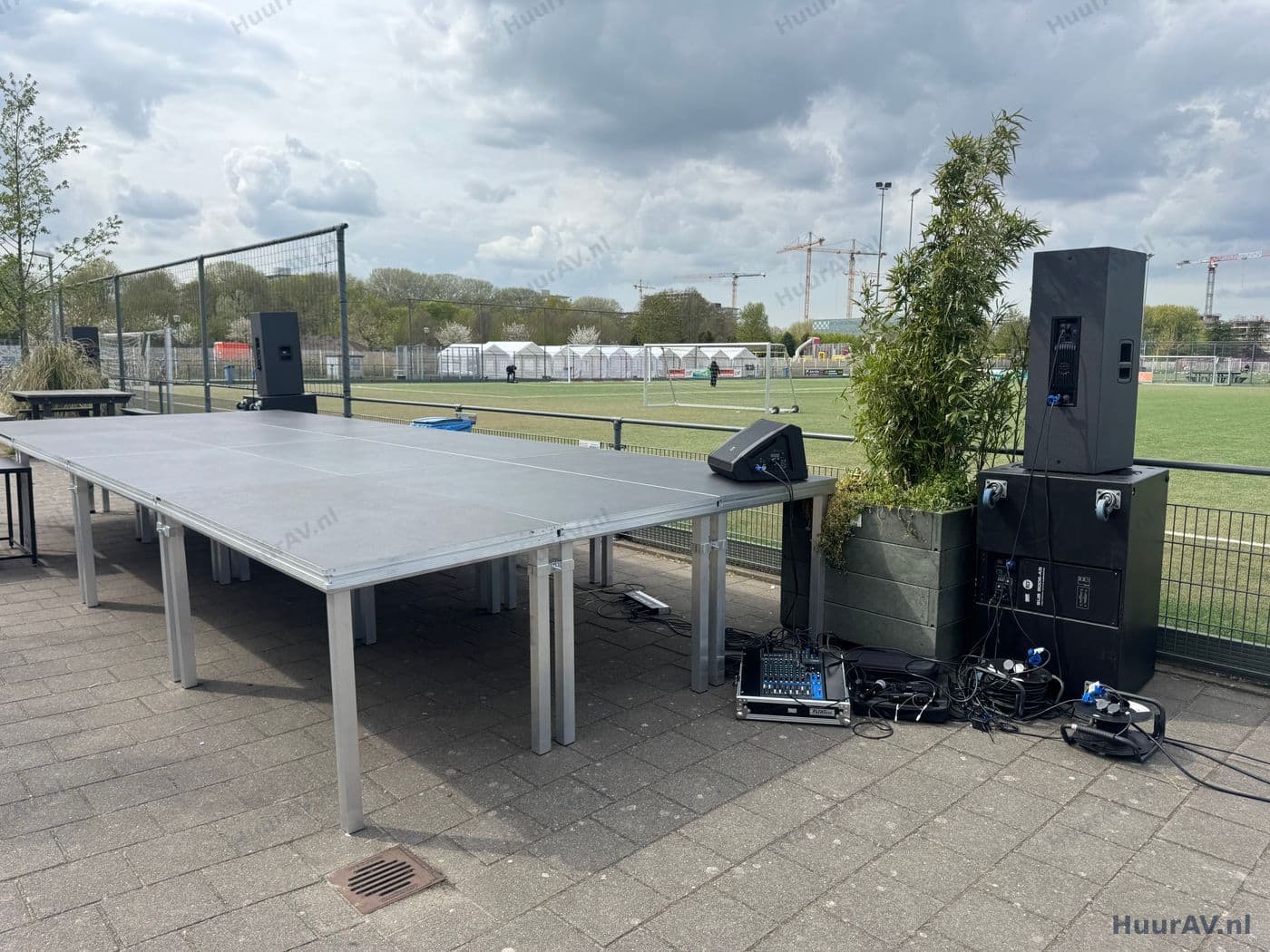
What is a mixing console?
A mixing console is the central point where all the sound sources at your event come together. Microphones, wireless sets, music sources and the audio from a video or livestream all feed into the console, and there you decide the level, the tone and the destination of each source. Without a console you have separate sources fighting for attention; with one you bring them into balance and control exactly what the room hears.
The console does more than just set volume. For each channel you shape the tone so that a voice sounds natural or music sits pleasantly on the ear. You suppress the frequencies that cause feedback, add reverb or another effect where wanted and distribute the sound across the various loudspeakers. On a digital console all of this happens within the same unit, including the ability to save complete settings as a scene. The mixing console is therefore not just one part of the setup, but the place where the quality of the whole sound system is determined.
Analogue or digital
The distinction between analogue and digital is the first choice that matters. An analogue console is tangible and direct: every control has a fixed function and you can see at a glance how everything is set. That makes it ideal for straightforward setups with a limited number of sources, where speed and simplicity matter more than extensive processing.
A digital console offers far more within the same footprint. You get a full equaliser, dynamics and effects on every channel, you can group channels and you save settings as a scene to recall later in one move. For a programme with many sources, quick transitions or a tight running order that is a real advantage. Which of the two suits you best depends on the complexity of your event, and we are happy to advise on that.
What do you use a mixing console for?
A mixing console appears wherever more than one sound source is in play at the same time or one after another. At a presentation or conference that often means a series of speakers, supplemented by a lectern microphone, wireless sets for a panel and the audio from videos shown in between. All those sources need to be mixed in and out smoothly, so that a speaker never drops out or suddenly comes through too loudly. The console is the instrument that keeps the programme flowing.
At a party or company party the emphasis shifts to music and to the energy on the dance floor. The mixing console spreads the music across the loudspeakers, keeps the low end in check and makes sure a microphone for an announcement cuts through without interrupting the party. At a corporate event too, where you alternate between speeches, presentations and music, the console is where you manage those transitions. And at a wedding the ceremony calls for warm, intelligible speech, while the party later needs a completely different mix: exactly the kind of change that a well-tuned console handles with ease.
Small and large programmes
For an intimate gathering with a single microphone and background music, a compact console with a few channels is enough. As the programme grows, so does the number of sources coming together, and with it the need for channels and for a clear overview. For large productions with many speakers, several music sources and video with audio, an extensive digital console is the logical choice, because it lets you manage dozens of channels at once and set up a separate scene for each part of the programme. The setup scales with your event without any loss of control.
The technology: setup, tuning and operation
A mixing console only performs well when it is in the right place and correctly connected. We position the console where the technician hears the room the way the audience does, because only then can you create a reliable balance. Mixing behind a thick wall or in a separate space leads to surprises. From the console, the cabling runs to the sources on one side and to the amplification and loudspeakers on the other, tidily and safely routed so that no one trips over it and nothing works loose.
Then comes the tuning. We bring each source up on the console, check the input level and adjust the tone per channel. Microphones for speech get different treatment from a music source, and we suppress the frequencies that would cause feedback in this particular room. On a digital console we save the settings as scenes, so that every part of the programme is ready at the touch of a button.
Setup and testing
On the day itself we set up well ahead of time. Once all the sources and the loudspeakers are connected, we test the complete chain channel by channel. We go through each microphone, check the wireless sets for a clean connection and play the music sources to set the levels and the tone. We then listen around the room to make sure the sound is right everywhere and adjust the console where needed. That way everything is tuned before the first guest arrives.
On-site operation
For programmes with several sources, quick changeovers or a tight running order we recommend a sound technician at the console. They watch the balance, mix the sources live and step in immediately when something changes, for example when a speaker moves closer to the microphone or the room fills up and becomes duller. For a simple setup you can operate it yourself; in that case we set the console up beforehand, prepare the most important controls and briefly explain how to use them. That way you stay in control without needing any technical knowledge.
Points to watch specific to mixing consoles
With a mixing console, things often go wrong at points that can be prevented in advance. The most common is feedback: that annoying howl that occurs when a microphone picks up its own amplified sound. You solve that with the right placement of loudspeakers and microphones and with careful tuning at the console, not simply by turning the volume down. A second point is the mix position: if you are somewhere you cannot hear the room representatively, you are effectively mixing blind.
The number of channels also counts. A console that is sized too tightly forces you to swap sources during the event, with all the risks that brings. We therefore allow generously in advance, with margin for an extra microphone or source that turns up after all. On digital consoles, storing scenes is a real help, but those scenes need to be carefully built and tested beforehand. And for wireless sources arriving at the console, we choose and check the frequencies in advance, so that there are no dropouts during the programme in a busy environment.
Combining with lighting, video and special effects
A mixing console rarely stands alone. The sound you mix works together with what the audience sees and feels. Good coordination with lighting ensures that a speaker you bring to the front on the console is also in view and that the mood on the dance floor matches the music you send into the room. When images are shown, the audio from that video runs through the same console, so that there is no difference in volume or delay between what you see and what you hear. The console is therefore the point where audio and picture come together.
For the big moments you link the mixing console to special effects. Think of an entrance, a countdown or a reveal where music, lighting and effect need to run in perfect sync. Because all the sources feed through the console, that is the point from which you drive that synchronisation. As HuurAV supplies sound, lighting, video and effects from a single source, these elements fit together seamlessly and you never have to coordinate separate suppliers.
Practical tips
Map out your programme in advance and share it with us. How many microphones are there, do speakers change over quickly, will there be music and will video with audio be shown? The clearer that picture, the better we can choose the console and lay out the channels. For a programme with several parts, consider a digital console, precisely because of the scenes: a separate setting for the speeches and one for the party makes the transition reliable and effortless.
Set aside enough time for the setup and the soundcheck, because a console that can be tuned calmly delivers a better mix than one thrown together under time pressure. If you are torn between operating it yourself or bringing in a technician, choose a technician as soon as you have several sources or a tight running order; that takes the worry about the sound off your hands entirely. And if you only need a standalone console for a small gathering you are running yourself, you can easily hire one online via SpeakerVerhuur.nl.
Request a quote
Would you like a mixing console that suits the number of sources and the complexity of your programme, installed, tuned and, where needed, operated by our technicians? HuurAV, part of Speaker Verhuur Amsterdam, puts together a setup on a quotation basis that fits your event exactly, from a compact analogue console to a fully featured digital desk. Let us know what you have in mind and we will help you find the best choice and send you a clear proposal. Request a quote with no obligation.
Renting mixing consoles rental
What is the difference between an analogue and a digital mixing console?
An analogue console is immediate and easy to read: every control does exactly one thing and you can see at a glance how everything is set. That works perfectly for smaller setups with a limited number of sources. A digital console handles far more channels, saves its settings as a scene and offers built-in effects, equalising and dynamics per channel. For programmes with many sources, quick changeovers or a tight running order we recommend digital, because you can recall complete settings at the touch of a button.
How many channels do I need?
That depends on how many sources arrive at the console at the same time or one after another. Add up all your microphones, wireless sets, music sources and the audio from any video, and leave some room for expansion. A drinks reception with a single microphone and background music needs a handful of channels, whereas a conference with several speakers, a panel and video quickly calls for a larger desk. We work this out with you in advance so you are never short.
Do you operate the mixing console during the event?
We can, and for programmes with several sources we recommend it. A sound technician watches the balance, mixes the sources and steps in straight away if a speaker becomes quieter or the music needs to fill the room. For a simple setup you can operate it yourself; in that case we set the console up beforehand and explain how to use the most important controls.
Can a mixing console store scenes and presets?
A digital console can. You lock in a scene for each part of the programme, for example one setting for the speeches and a separate one for the party, and recall it in one go during the event. That makes quick changeovers reliable and prevents anything going wrong during a transition. Analogue consoles work without memory, so there we set everything manually.
Can I hire a mixing console on its own?
For a standalone console that you collect, connect and operate yourself, you can book directly online at SpeakerVerhuur.nl. If you would like us to install the console on site, tune it to your setup and, if needed, operate it, HuurAV arranges that on a quotation basis including technicians.
Renting mixing consoles rental for your event?
Tell us what you are organising. We advise, deliver, build and operate on location, or you rent it yourself through our webshop.