
Projection screen rental
A projection screen is the foundation for big, bright images the whole room can follow. We select the right size and aspect ratio for your space and viewing distance, and determine whether front or rear projection works best. From rigging and projector to alignment and on-site testing, we handle everything so your image stays sharp and readable from every seat.
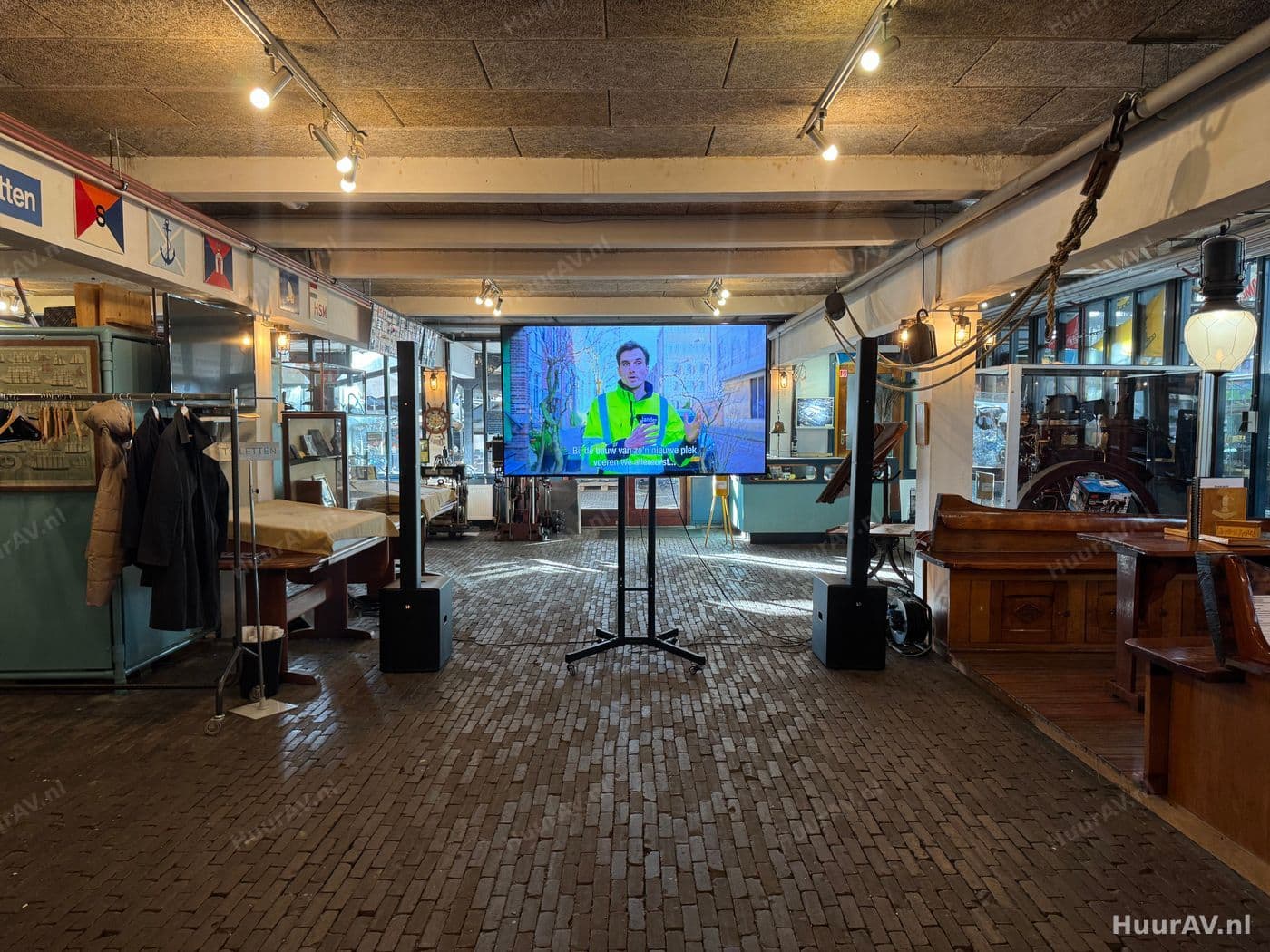
What a projection screen is and what you use it for
A projection screen is the surface onto which a projector casts its image, so a large group of people can watch at the same time. Where a laptop screen or a single television works fine for a handful of people, a hall with dozens or hundreds of guests calls for a far larger image area. The projection screen makes that possible: it provides an even, white projection surface that reflects the projector’s light uniformly, so your presentation, video or live footage stays bright and readable everywhere in the room.
The screen itself is only half the story. The interplay of screen, projector, aspect ratio and viewing distance determines whether your image works. A screen that is too small makes text unreadable for the back rows, the wrong aspect ratio produces black bars or distortion, and an underpowered projector gives a washed-out image in a bright room. We look at the whole picture and match each component to the others and to the space.
Front and rear projection
With front projection the projector sits on the audience side and projects onto the front of the screen. This is the most common and flexible setup: it needs little space and works in almost any hall. The thing to watch is that no one may walk through the light beam, so we position the projector carefully.
With rear projection the projector sits behind a translucent screen and shines through it from the back towards the audience. The big advantage is a clean stage image: there is no projector in view, no shadows when a speaker walks in front of the screen and no one ends up in the beam. Rear projection does require enough depth behind the screen and a special transmission screen. On a stage where speakers and presenters stand close to the image, this is often the most elegant choice.
When to use a projection screen
Projection is the standard whenever a large group needs to look at the same image at once. The size and setup vary by type of event.
Specific events
- Conferences and presentations: a large screen with sharp, readable slides is essential at a conference or presentation. Here everything comes down to readability all the way to the back row, so size and aspect ratio are determined by the hall and the source material.
- Hybrid events and livestreams: at a hybrid event or livestream the screen in the hall shows the live footage, while the camera sends that same image to online viewers as well. Projection and recording then work hand in hand.
- Product launches: at a product launch you use a large projection surface for the reveal, an atmospheric video or the moment the product appears large on screen. Rear projection often gives the most polished stage image here.
- Corporate events: from a shareholders’ meeting to an internal kick-off, at a corporate event projection makes sure everyone sees the figures, the video or the speaker large and clear.
For a private meeting in a smaller room a single screen may be enough, while in a large hall you sometimes work with multiple screens, for example a main screen plus side screens so guests off to the sides keep a good view.
The technology: setup, connection and operation
A good projected image is the result of careful rigging and alignment. The parts look simple, but the details determine the end result.
Setup and rigging
We start with the placement of the screen. Height matters: the bottom of the image must sit high enough so people in the back rows are not looking at a blockage over the heads in front of them. The screen must hang or stand taut and flat, without creases or waviness, because every imperfection shows up in the image. We work with free-standing frames, tripod screens or trussed constructions, depending on the hall and the size required.
Next we position the projector. The distance to the screen, together with the lens, determines how large the image becomes, so we calculate that in advance. We align the projector square to the screen to avoid distortion and use lens shift or keystone correction where needed to fit the image precisely within the screen edges. The aim is a rectangular, sharp image that fills the screen surface exactly.
Connection
We connect the source, for example a laptop, media player or camera, to the projector through a reliable signal chain. Over longer distances we use cabling and signal amplification that carry the image with no loss of quality. We ensure the correct resolution and aspect ratio, so the image fills the screen neatly without black bars or stretching. Where multiple sources are needed, think of a presentation and a camera feed, we route them through a switcher or vision mixer so you can change over smoothly.
On-site testing and operation
Before the doors open, we test the complete image. We check sharpness, alignment, colour and brightness, and we walk the hall to assess from different spots whether the image reads well everywhere. We also check the transition between sources and the speaker’s connection. During the event our technician operates the image: advancing slides, switching between sources and adjusting the image if the lighting conditions change. That way you do not have to worry about the technology.
Considerations specific to projection
Projection has a number of characteristics you come across less with other image solutions. It is precisely these points that determine whether the image convinces.
Brightness and light in the room
This is the most important consideration with projection. A projector casts light onto the screen, and any ambient light that also falls on that screen weakens the contrast and makes the image duller. In a darkened hall even a modest projector looks superb, while in a bright space with lots of windows you need a considerably more powerful projector. We measure the light situation and choose the projector accordingly. Where possible we limit light falling directly on the screen, for example through blackout or by deliberately keeping venue light and stage light away from the projection surface.
Viewing distance and size
The size must suit the distance of the furthest viewer. Too small and the text becomes unreadable at the back, too large and the people at the front have to move their heads to follow everything. We work out the ideal screen size based on the viewing distance and the content: detailed slides and figures call for a larger image area than an atmospheric video. The viewing angle counts too, because guests on the far sides must still be able to see the image without distortion.
Aspect ratio
A mismatch between the aspect ratio of your source material and the screen produces black bars or a distorted image. We match the ratio of screen and projector to what you are showing, whether that is 16:9, 16:10 or a wider panoramic format, so the image fills the screen neatly.
Combining with sound, light and effects
Image rarely stands on its own. A projection screen works best as part of a complete video setup that connects seamlessly with the rest of the production.
Good sound is essential: a video or presentation lives or dies by clear, intelligible audio that reaches the whole room. We match the audio to the image, so speech, music and video clips sound in sync and at the right level.
Light also plays a big part in projection, above all in limiting and steering it. We make sure the speaker is nicely lit without light spilling onto the screen, and we can dim the venue light at the moment the image becomes important. For an extra atmospheric reveal, for example at a product launch, we sometimes combine projection with special effects that give the image real impact. That way everything works as a whole rather than as separate parts.
Practical tips
- Deliver your presentation or video in the aspect ratio of the screen, and you avoid black bars and stretched images. We advise in advance which ratio fits best.
- Think about where the speaker stands in relation to the screen. With front projection no one may walk through the beam; with rear projection a speaker can stand right in front of the image without casting a shadow.
- Take blackout into account. If the hall has a lot of daylight, check early whether curtains or blackout are possible, so we can choose the projector to suit.
- In a large or wide hall a second screen is often worth it, so guests off to the sides can watch comfortably too.
- Test your material with us during the setup. That way we see together whether colours, text size and transitions are right before the room fills up.
Request a quote
Would you like to rent projection screens for your event in or around Amsterdam? HuurAV takes care of the complete setup, from the choice of screen, size and projector to the rigging, alignment and on-site operation. We think along about front or rear projection, viewing distance and brightness, and make sure the image looks right from every seat. If you prefer to collect and set up individual equipment yourself, you can do so online via SpeakerVerhuur.nl. Tell us what you have in mind and request a no-obligation quote, and we will put together a tailored proposal.
Renting projection screen rental
What size projection screen do I need?
That depends on the viewing distance and your content. A common rule of thumb is that the distance from the furthest viewer to the screen should be roughly six times the image height for text and detail, and more generous for video footage. We calculate this in advance based on your hall, the number of guests and what you are showing, so even the back row can read everything clearly.
What is the difference between front and rear projection?
With front projection the projector sits in front of the screen and projects onto the viewing side. With rear projection the projector sits behind a special screen and shines through it. Rear projection gives a clean stage image with no projector in sight and no speakers walking through the beam, but it requires space behind the screen. Front projection is more flexible and works in almost any hall.
Which aspect ratio can I choose?
We supply screens in various aspect ratios, including 16:9 for most presentations and video, 16:10 which many laptops and presentation packages use as standard, and wider formats for panoramic images. We match the ratio to your source material, so there are no black bars or stretched images.
Does a projection screen also work in a bright room?
It can, but brightness is the key consideration. The more ambient light there is, the more powerful the projector needs to be and the more important it is to limit light falling on the screen. We choose the projector based on the lighting conditions and advise on blackout or steering venue light away from the screen.
Can I rent a projection screen on its own without a technician?
HuurAV supplies projection as part of a complete production with rigging, alignment and on-site operation. If you prefer to collect and set up individual equipment yourself, you can arrange that online via SpeakerVerhuur.nl.
Renting projection screen rental for your event?
Tell us what you are organising. We advise, deliver, build and operate on location, or you rent it yourself through our webshop.