
Presentation screen rental
A presentation screen makes sure your message appears clearly for everyone in the room, while a confidence setup lets the speaker follow along without turning around. We decide which screens belong where, from the main image to the preview and confidence monitors, and match everything to the room, the speakers and the programme. From connection and set-up to testing and operation, we take care of the whole thing so speaker and audience are always on the same slide.
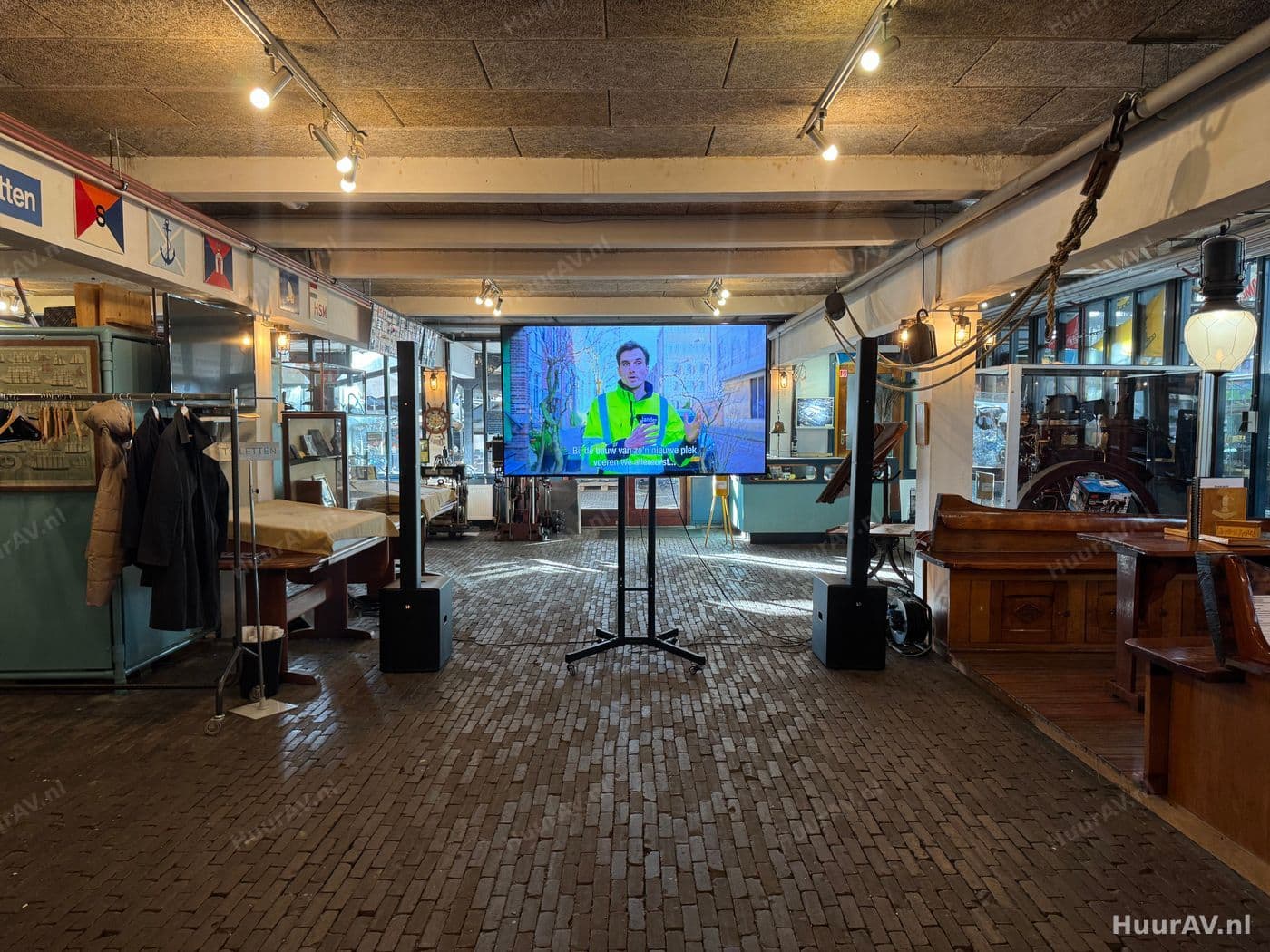
What presentation screens are and what you use them for
A presentation screen is any image surface on which you display your slides, video or live footage during a presentation, so the message comes across large and clear for everyone in the room. That can be a large projection image for the audience, a big TV screen for a more compact space, or a monitor at the front of the stage specifically for the speaker. What matters most in presentations is that speaker and audience are looking at the same story at every moment, without the speaker having to turn around each time to see where the presentation is.
That is exactly where the confidence or preview setup comes in. A confidence screen stands at the front near the stage and shows the speaker the same slide as the audience, or alternatively the speaker notes and the next slide. This lets the speaker keep eye contact with the room, avoid talking with their back to the audience and never lose the thread of their own story. It makes a spoken presentation calmer, more professional and easier to follow, both for the speaker and for the guests.
More than a single screen
A good presentation setup is often a small system of screens that each have their own function. The main image is for the audience. A confidence screen can be added for the speaker, and sometimes a separate confidence monitor that shows exactly the live output image. Where there is a technical control position, a preview monitor is added so you can see what is coming up next. All these screens show the same underlying story, but in the right place and in the right form. We decide which screens you need and make sure they work together seamlessly.
When to use presentation screens
Presentation screens come into play as soon as someone speaks to a group and supports it with images. The exact set-up varies by type of gathering, and the confidence setup becomes more important as the number of speakers grows and the programme runs tighter.
Concrete events
- Conferences and presentations: at a conference or presentation speakers take turns and a confidence screen is worth its weight in gold. Each speaker sees their own slides at the front, keeps contact with the room, and the transitions between speakers run smoothly because the image is controlled centrally.
- Corporate events: at a corporate event such as a kick-off, shareholder meeting or annual presentation, a presentation screen lets the management show the figures and the plans large and clear, while the speaker follows along effortlessly.
- Hybrid events and livestreams: at a hybrid event or livestream a confidence monitor is essential. The speaker and the host see on a monitor exactly the image the online viewers receive, so they know when they are on camera and can tune the presentation to both the room and the screen at home.
- Product launches: at a product launch timing is everything. A preview screen shows the presenter which slide or video is coming next, so the reveal and the words line up precisely.
For a small closed session a single screen with a follow-along monitor can be enough, while for a large plenary programme you work with a main image, side screens for the room and a separate confidence setup for the stage.
The technology: layout, connection and operation
A presentation setup that works is above all a matter of signal distribution and placement. Every screen has to show the right image in the right place, and that calls for a well-considered chain.
Layout and set-up
We start with the main image for the audience and set the height and format so that even the back rows can read along comfortably. Then we place the confidence screens. A confidence monitor belongs at eye level, set low at the front of the stage or at its foot, aimed at the spot where the speaker stands or walks. This lets the speaker take in both the audience and their slides in a natural glance. With a wide stage or a speaker who moves around, we sometimes place two confidence screens, left and right, so the image always stays in view.
For the confidence or preview monitor at the host position or the control desk, we choose a spot that is out of the audience’s sight but easily readable for whoever needs it.
Connection and image distribution
The heart of a presentation setup is the image distribution. The presentation signal, for example from a laptop, media player or a central presentation computer, is routed through a splitter or image mixer to all screens at once. This way every slide appears at the same moment on the main image and on the confidence screens, keeping speaker and audience in sync. Where multiple speakers bring their own laptop, we switch between them via a switcher or mixer, so you change over smoothly without a blank screen in between. Over greater distances we use cabling and signal amplification that carry the image to every screen without loss of quality.
For the confidence view we agree what the speaker should see: the current slide, a mirrored image, or a layout with the speaker notes and a preview of the next slide. That choice depends on the presentation software and the wishes of the speakers.
Testing and operation on site
Before the doors open, we test the complete chain. We check whether every slide appears on all screens at the same time, whether the confidence view is correct and whether the transition between speakers and sources runs smoothly. We also walk into the room to judge whether the main image is readable everywhere. During the event our technician operates the image, or we set up a presenter remote so the speaker clicks through themselves. Switching between laptops, starting a video, fine-tuning the image: our technician keeps it all in hand, so the speakers only have to concentrate on their story.
Points to watch specific to presentation screens
With presentation screens it all comes down to readability and synchronisation. A few points deserve extra attention.
Readability and text size
Presentations often contain a lot of text and detail, and that places higher demands on readability than an atmospheric video. Text that is too small or a slide that is too busy becomes unreadable at the back, however sharp the screen may be. We advise on the text size and the layout of your slides, and we choose the format of the main image based on the viewing distance of the furthest guest. For the audience the rule is: the more detail you show, the larger the image surface has to be.
Viewing distance and viewing angle
The main image has to suit the dimensions of the room. Too small and the back rows lose interest, too large and the people up front have to move their heads. In a wide room we take account of the guests at the far sides, who still need to see the image without distortion. For the confidence screens the opposite applies: they need to be close to the speaker and at eye level, so following along is effortless.
Brightness and light in the room
Ambient light determines how well your image comes across. With a large projection image, light falling on the image surface weakens the contrast, so we tune the set-up to the blackout and the strength of the projection. With a confidence screen it is important that the speaker is not troubled by reflections or by bright stage light that makes the monitor unreadable. We position the screens so that they sit out of the direct light beam and yet remain easy to read.
Synchronisation
The biggest risk with a presentation setup is that speaker and audience fall out of step, for example because the confidence monitor shows a different slide than the main image. By routing everything through a central image distribution and testing the chain thoroughly in advance, we rule that out. Every slide appears everywhere at the same time.
Combining with sound, light and effects
Image rarely stands on its own. Presentation screens work best as part of a complete video setup that connects seamlessly to the rest of the production.
Good sound is at least as important as the image at a presentation. A speaker lives or dies by a clear, intelligible voice that reaches the whole room, so we match the microphones and the room coverage to the setup. Video clips in the presentation play at the right level and in sync with the image.
Light plays a part too. We make sure the speaker is well lit so they stand out recognisably, without any light falling on the main image that weakens the contrast. When a slide or video becomes important, we can dim the house lights to draw attention to the screen. At a festive moment, such as the reveal during a product launch, we sometimes add special effects that give the image extra impact. This way everything works as a whole.
Practical tips
- Deliver your presentation in advance or test it together with us during set-up. That way we check together whether text size, colours and transitions are right and whether the confidence view does what you expect.
- Agree who clicks through: the speaker with a presenter remote or our technician on cue. Both work well, but clarity in advance prevents stumbles.
- Consider whether your speakers want to see their notes. Much presentation software can show the notes and the next slide alongside the current slide on the confidence screen.
- Keep your slides calm and not too busy. Large text and few lines read far better at the back than a densely printed screen.
- Brief your speakers on the setup in advance. Anyone who knows there is a confidence screen at the front never has to turn towards the main image.
Request a quote
Would you like to rent presentation screens for your event in or around Amsterdam? HuurAV takes care of the complete setup, from the main image for the audience to the confidence and follow-along screens for your speakers. We think along about the placement, the image distribution and the operation, and make sure speaker and audience are always on the same slide. If you would rather collect and build the equipment yourself, you can arrange that online through SpeakerVerhuur.nl. Tell us what you have in mind and request a no-obligation quote, and we will put together a tailored proposal.
Renting presentation screen rental
What exactly is a confidence screen?
A confidence screen is a monitor placed at the front near the stage that shows the same slides as the audience sees, or alternatively the speaker notes and the next slide. This way the speaker does not have to turn towards the main image and keeps eye contact with the room. We position the screen at eye level in the speaker's line of movement and agree whether it should mirror the image or show a preview view.
What is the difference between a preview screen and a confidence monitor?
A preview screen shows what is coming up, for example the next slide or the upcoming source, so the technician and the speaker can look ahead. A confidence monitor shows exactly the live output image, so what the audience is seeing at that moment. In a confidence setup we often combine the two: one screen with the current slide for the speaker and a monitor with notes and the next slide.
How many presentation screens do I need?
That depends on the room, the number of speakers and the layout. The audience needs at least one clearly readable main image, supplemented with side screens in wider rooms. For the speakers a confidence or preview monitor is added on top of that. We work out which screens belong where and how many you practically need based on the floor plan and the programme.
How do you make sure speaker and audience see the same slide?
We route the presentation signal through a central image distribution to both the main image and the confidence screens, so every slide appears everywhere at the same time. Control can sit with the speaker via a presenter remote, or with our technician who switches on cue. That keeps everything in sync, even when you switch between multiple laptops or speakers.
Can I rent presentation screens separately without a technician?
HuurAV supplies presentation screens as part of a complete production with set-up, connection and on-site operation. If you would rather collect and build the equipment yourself, you can arrange that online through SpeakerVerhuur.nl.
Renting presentation screen rental for your event?
Tell us what you are organising. We advise, deliver, build and operate on location, or you rent it yourself through our webshop.