
Rent TV screens
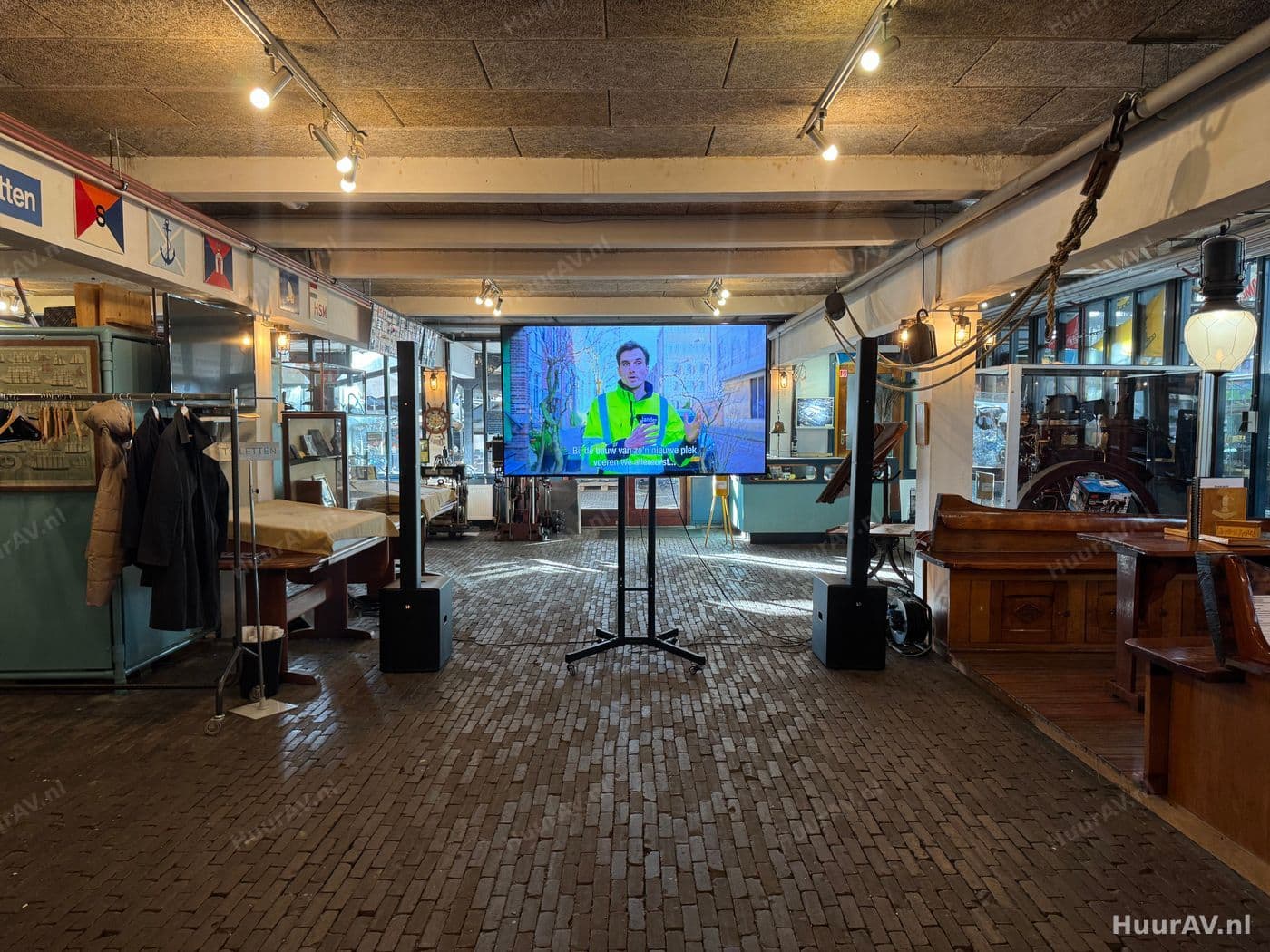
A television delivers a crisp, bright image that stays perfectly legible even in daylight, without any need to darken the room. On a stand you can place the screen exactly where you need it: beside a speaker, on an exhibition stand or as signage in the foyer. We select the right screen size for the viewing distance, set it up securely, connect your sources and make sure the image stays sharp and reliable throughout the event.
What a television is and what you use it for
Unlike a projector, a television produces its own light. The image comes from the screen itself rather than being cast onto a surface. That difference brings a big practical advantage: a TV stays bright and high in contrast even when daylight falls into the room or the house lights are simply left on. So you do not have to darken the space to get a clearly legible image.
At HuurAV we mainly use televisions as standalone screens on stands, precisely where a projector would be impractical. Think of a compact setup with no room for a projection distance, an exhibition stand where the image needs to be close to the visitor, or a foyer where you want to inform guests with signage. Where a projector excels at delivering a large image to a large hall, the television is the flexible solution for focused, bright display at eye level.
The difference with projection
Projection works with reflected light and needs space and a degree of darkening to look its best. A television works the other way around: the screen produces its own light and actually performs well in a lit environment. As a result the two complement each other nicely. In many productions we use a projector for the main image in the hall and televisions for the spots where a compact, bright and direct image is needed. On our video page you can read how we use both within a complete image setup.
When to use a television
A television is the logical choice as soon as you need a bright image in a specific spot, in an environment that cannot be darkened, or for an audience standing close to the screen. Below are a few concrete situations.
Presentations with a compact setup
For smaller presentations, break-out sessions or workshops, a large screen with a projector is often overkill. A television on a stand beside the speaker delivers a crisp image for the group without any need to dim the lights. At presentations and conferences we therefore often use televisions as extra screens in breakout rooms, as a confidence monitor for the speaker, or as an image at reception.
Exhibition builds and trade fairs
On an exhibition stand every square metre counts and visitors stand right up close to the image. A television on a stand or in a stand wall shows your corporate video, product visuals or a presentation at eye level, right where the conversation happens. The bright image stays clearly visible even under the powerful hall lighting of an exhibition floor. At product launches we often use screens to bring product visuals and specifications close to the visitor.
Signage and wayfinding
A television is ideal as an information screen. In a foyer or reception area you can display the programme, floor plans, sponsors or welcome messages on it, in a continuous loop. At corporate events we use signage screens to inform and guide visitors, taking pressure off the staff at the desk and letting visitors immediately see where they need to be.
Hybrid events and confidence monitors
At hybrid events and live streams we use televisions as confidence monitors for the speakers and the crew. The speaker can see their own slides or the camera image without turning around, and the gallery keeps a clear control screen close at hand. Online participants can also be shown on a TV in the hall, so the on-site audience stays connected with the viewers at home.
The technology: setup, connection and operation
A well-functioning screen is more than the TV alone. It comes down to a stable setup, the right height, tidy cabling and a thorough test before the first guest arrives.
Setup and height
We place televisions on sturdy floor stands that let us set the height to the audience’s eye level. If the screen is too low, people at the back look at the backs of heads; if it is too high, watching becomes tiring. For a standing reception or an exhibition floor we set the screen higher than for a seated audience. We keep an eye on the walking routes and make sure the stand is stable and safe, even in spots where many people pass by.
Connecting sources
The television is only as good as the source running on it. We connect laptops, media players, cameras and live stream feeds, usually via HDMI and, for longer distances, via professional signal cabling or converters that carry the image without loss of quality. For continuous signage we connect a media player that plays your content in a loop automatically. If you work with several screens that all need to show the same thing, we place a splitter between the source and the screens so the image stays in sync everywhere. We route all cables neatly and safely, including across walkways.
Driving multiple screens
If you want the same image in several places, or a different source per screen, we handle that with splitters and switchers. That way you can, for example, show the presentation in the hall while the signage keeps running in the foyer. Our technician keeps an eye on the sources and switches where needed, so a wrong or black image never appears.
Setup, testing and operation on site
We build up well before the programme, set the screens to the right height and connect all the sources. Then we test with the real image material: we check the sharpness, the brightness, the colours and whether every connection works. We walk through the space to check that the image stays legible from every position and at an angle. During the event our technician operates the images, switches between sources and makes sure every screen shows the right image the whole time.
Points to consider specific to televisions
A TV has different strengths and weaknesses than projection. By taking these into account in advance, you get the best result from your screens.
Viewing distance and screen size
The most important consideration is the relationship between screen size and viewing distance. A television has a fixed image size, so you cannot simply make the image larger as you can with a projector. If your audience is far away, the screen needs to be bigger, or you place several screens spread through the space. Text and detail-rich slides call for a larger screen than atmospheric video or loose visuals. We calculate the viewing distance in advance and choose the size and number of screens to match.
Brightness and light in the room
Because a television produces its own light, it actually performs well in a lit environment, and that is precisely its strength. Even so, it remains wise to watch out for direct light: a bright spotlight or daylight falling straight onto the glass can cause reflections. We position the screen so that no distracting reflections appear and, where needed, adjust the house lighting so the image stays bright and high in contrast everywhere.
Viewing angle
A screen looks best straight on. From a sharp angle, brightness and colour fall off. With a wide audience we take this into account by placing the screen centrally or by working with several screens, so everyone has a good viewing angle. For an exhibition stand we aim the screen at the spot where the conversation takes place.
Combining with sound, light and effects
Image rarely stands alone. We are happy to combine a television with the rest of the production, so everything works as a whole.
For sound we connect the screen or the source to a suitable sound system, so a video is not only easy to see but also easy to hear. During a presentation we make sure the speaker’s sound and the image are aligned and run in sync.
With lighting we enhance the surroundings of the screen. Think of lit stand walls, a well-judged speaker light beside the screen or ambient lighting in a foyer that makes the signage stand out. What matters here is that we aim the light so it does not reflect in the screen. If you want to give a moment extra impact, we sometimes use special effects around the image, for example at the reveal of a product. We align image, sound, light and effects with one another so together they form a polished whole.
Practical tips
- Determine the viewing distance in advance. Measure how far your furthest viewer sits and match the screen size to it, or opt for several screens.
- Think about the content. Fine text and figures call for a larger or more closely placed screen than atmospheric footage. Supply your material in the correct aspect ratio to avoid black bars.
- Watch the power sockets and cable routes. A screen on a stand needs power and signal; we plan the cable routes so they lie safely and out of sight.
- Combine with signage where you can. An extra screen at reception with the programme and wayfinding takes pressure off your staff and helps visitors on their way straight away.
- Want to arrange individual equipment yourself? For renting screens and other equipment on their own we refer you to SpeakerVerhuur.nl, where you can book everything directly online.
Renting televisions from HuurAV
At HuurAV, part of Speaker Verhuur Amsterdam, you rent televisions not as a bare box but as part of a fully managed production. We choose the right screen size for your space and viewing distance, place the screens securely on stands, connect all your sources and test everything thoroughly before your audience arrives. On site our technician operates the images, so you do not have to worry about the technology yourself. Whether it is a presentation, an exhibition stand, signage in the foyer or a confidence monitor at a live stream: we make sure the image is sharp, bright and reliable.
Want to know what televisions can do for your event, or how we combine them with sound, light and the rest of the image setup? Request a no-obligation quote. We are glad to think along with you about the best setup for your venue and programme, and will draw up a proposal that fits exactly what you need.
Renting rent tv screens
When should I choose a television instead of a projector?
A television is the better choice when you cannot or do not want to darken the room, when you need a compact yet bright image, or when the screen has to stand somewhere projection would be awkward, such as an exhibition stand or a foyer. A TV produces its own light and therefore keeps a bright, high-contrast image even in daylight. For a large audience who all need to see the same image, projection is often the more logical option. We advise per situation which delivers the best result.
Which screen sizes can I rent?
We work with professional screens in a wide range of diagonals, from smaller sizes for an exhibition stand or reception desk to large screens for presentations in a hall. The right size depends mainly on the viewing distance: the further away your audience sits, the larger the screen has to be to stay legible. We determine the size in advance based on the space and how it will be used.
Can a television be placed on a stand?
Yes, we place screens on stable floor stands that let you set the height to the audience's eye level. That makes a TV flexible: you position it exactly where you need it, without rigging points or wall mounts. For exhibition builds or a fixed setup other mounting options are available too. We tailor the arrangement to the venue and the walking routes.
Which sources can I connect to a television?
We connect laptops, media players, cameras and live stream feeds, usually via HDMI and, for longer distances, via professional signal cabling or converters. For continuous signage we can connect a media player that loops your content. If you work with several sources or screens, we place a switcher or splitter in between so everything runs in sync and without interruption.
Can I also rent a television on its own without a technician?
HuurAV supplies televisions as part of a complete production with setup, testing and operation on site. If you want to collect and operate individual equipment yourself, you can arrange that online via SpeakerVerhuur.nl.
Renting rent tv screens for your event?
Tell us what you are organising. We advise, deliver, build and operate on location, or you rent it yourself through our webshop.