
Rent confidence monitors
A confidence monitor is a foldback screen at the front of the stage on which a speaker can see their own slides and notes, without turning around to the large screen behind them. This keeps the speaker's gaze on the audience and the camera while they follow the presentation at the same time. We position the screens at the right height and viewing distance, connect them to the vision control and test everything before the first speaker steps on stage.
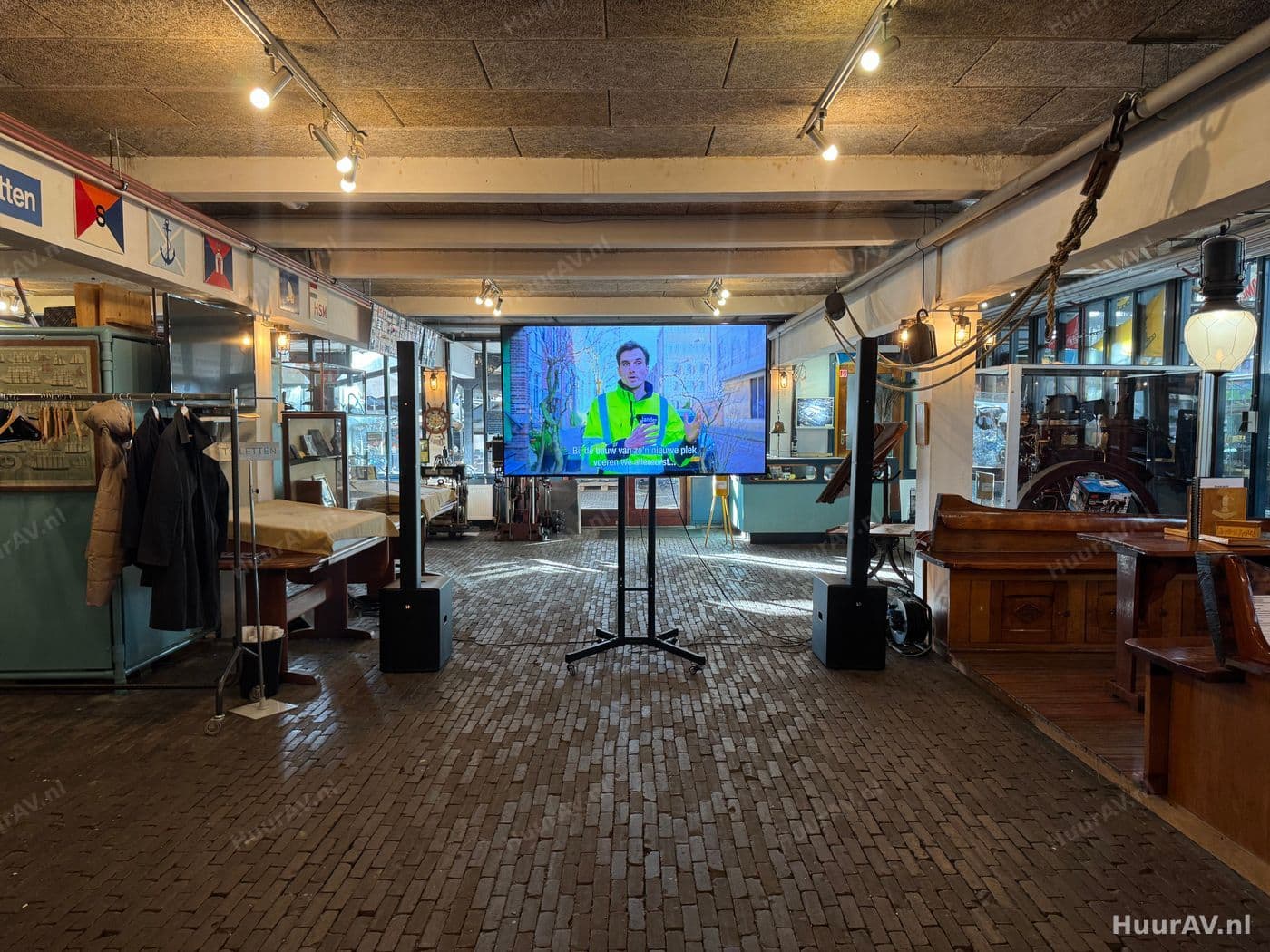
What a confidence monitor is and what you use it for
A confidence monitor is a foldback screen set up at the foot or the front of the stage, facing the speaker. While the audience sees the presentation on the large screen behind or beside the speaker, the speaker looks forward at their own screen. It shows exactly what is being displayed at that moment, and often extra information intended for the speaker alone.
The idea is simple but the effect is significant. Without a foldback screen, a speaker has to keep turning around to the display behind them to check which slide is showing, or they have to rely blindly on memory. In both cases they lose contact with the room. With a confidence monitor the speaker keeps their gaze straight ahead, on the audience and the camera, while following the presentation at the same time. That makes their performance calmer, more professional and easier to follow.
Foldback screen versus the audience image
It is important to keep the distinction clear. The large screen in the room, whether that is projection or a large television, is meant for the audience. The confidence monitor is intended solely for the speaker, which is why it faces the stage with its back to the room. Both images come from the same source, so what the speaker sees always matches what the room sees.
Slides, notes and timer
A confidence monitor can show more than just the current slide. In the presenter view of common presentation software, the speaker sees the current slide alongside the next slide, their notes and a clock. This helps them stay on track: they know what is coming, have their cues to hand and keep an eye on their speaking time. For tightly scheduled programmes we can also display a separate countdown clock so the speaker knows exactly how much time remains.
When to use confidence monitors
Confidence monitors are valuable wherever someone speaks from a stage and needs to follow a presentation or visuals at the same time. The more formal and tightly directed the programme, the more indispensable the foldback screen becomes.
Concrete events
- Presentations and conferences: a full-day programme with a changing line-up of speakers calls for calm on stage. At presentations and conferences, a confidence monitor ensures that every speaker, including those unaccustomed to the stage, has their slides in front of them and can look the audience straight in the eye.
- Hybrid events and livestreams: at a hybrid event or livestream it is crucial that the speaker keeps looking into the camera rather than at the display behind them. The foldback screen sits close to the camera line, so the speaker looks both the viewers at home and the room directly in the eye.
- Product launches: during a product launch the timing of the reveal is often planned down to the second. A confidence monitor with a countdown clock and the next slide helps the presenter align their words precisely with the right image.
- Corporate events: from a kick-off to a year-end celebration, corporate events often see directors and guests on stage who are not professional speakers. For them, a foldback screen is the difference between glancing nervously over their shoulder and delivering a confident, relaxed story.
For interviews, panels and talk-show formats we sometimes place several confidence monitors, so every participant at the table or on the sofa has a screen in view.
The technical side: setup, connection and operation
Behind a well-functioning foldback screen lie a number of choices about placement, signal and operation. We make those choices together with the rest of the video setup, because the confidence monitor always runs off the same vision control as the audience image.
Setup and placement
The confidence monitor stands directly in front of the speaker, just below their eye level. That way the speaker only has to glance down briefly before making eye contact with the room again. We use a low stand or a floor setup and position the screen so it falls outside the audience’s sightlines and does not catch the camera. On a wide stage or with speakers who move around a lot, we sometimes place two screens, left and right, so the speaker can follow along from any position.
Connection to the vision control
The confidence monitor receives its image from the same control setup as the projection or the large television in the room. We split the video signal with a distribution amplifier or take a separate output from the vision mixer, so the foldback screen runs exactly in sync with the audience image. For the presenter view with notes and timer, we connect the screen to the presentation computer. We route all cables neatly and safely, including where they cross a walkway on stage. You can read more about the full video setup on the video page.
Setup, testing and operation on site
We build up well before the programme starts and adjust the height, angle and brightness of the screen to the stage layout. We then test with the actual presentation: we check that the right slide appears, that the notes and the timer are correct and that the image runs in sync with the large screen. During the event our technician operates the vision control, changes the slides and makes sure the foldback screen keeps doing what it should. That way the speaker has nothing to worry about and can focus entirely on their story.
Points to consider specific to confidence monitors
A foldback screen has a few considerations of its own that differ from those for the audience image. They mostly come down to brightness, viewing distance and the light on stage.
Brightness and light on stage
A speaker often stands in bright stage light, and that light also falls on the confidence monitor. A screen without enough brightness then becomes hard to read. We therefore choose a screen bright enough for the lighting conditions on stage and position it so that no spotlight shines directly on the display. Coordination with the lighting setup matters here: we place the spots so the speaker is well lit without the foldback screen washing out in reflections.
Viewing distance and text size
The speaker looks at the screen from close up, but does so with a brief glance and needs to take in what is shown at a single look. That is why the legibility of text on the slides and in the notes is crucial. We match the size of the screen and the distance to the speaker, and where needed we advise on the legibility of the slides themselves. If a speaker stands further back from the front of the stage, we choose a larger screen or place it closer.
Sightlines and the camera
A confidence monitor should never come into view for the audience or the camera. When placing it, we pay close attention to keeping the screen low enough and the back and cables neatly out of sight. This matters even more for a livestream, because a glowing screen that accidentally slips into shot distracts the viewer at home. That is why we always check the sightlines together with the camera operator before the programme begins.
Combining with lighting, sound and the rest of the production
A confidence monitor rarely stands on its own. It is part of a stage setup in which image, sound and light together support the speaker’s performance. Because we handle the complete production, these elements connect seamlessly.
Coordination with sound and light
A speaker who has their slides in front of them also needs to be clearly audible. We therefore combine the confidence monitor with a suitable sound solution, from a headset microphone to a lectern microphone, so the story sounds as clear as the image looks. We tune the lighting setup to both the speaker and the foldback screen, and where a programme calls for extra atmosphere or impact, we can also bring in special effects for a reveal moment, for example. All these elements are operated on site by the same technicians, so image, sound and light respond to one another.
Practical tips
Run through the presentations in advance and make sure the notes and slide order are correct, because they will appear on the foldback screen. Agree with your speakers that they may glance down calmly at the screen and do not need to turn around. Schedule a short stage check where every speaker sees their own screen and gets used to its position. And bear in mind that a tightly directed programme with a changing line-up of speakers benefits from a clear agreement on who advances the slides: the speaker themselves or our technician from the control position.
Renting confidence monitors from HuurAV
Do you want your speakers to stand on stage confident and relaxed, with their slides and notes right in front of them? Then we provide the confidence monitors as part of your complete AV production, including setup, connection to the vision control and on-site operation by our technicians. HuurAV is based at Zeeburgerpad 89 in Amsterdam and is part of Speaker Verhuur Amsterdam and SpeakerVerhuur.nl. Tell us what kind of event you are organising and how many speakers will be on stage, and we will help you plan the best setup. Request a no-obligation quote and we will put together a proposal that suits your programme and your venue.
Renting rent confidence monitors
What exactly is a confidence monitor?
A confidence monitor is a screen placed in front of or at the foot of the stage that lets the speaker follow their own presentation. It shows the same slide the audience sees, and if desired the speaker's notes or a countdown clock as well. Because the screen sits directly in front of the speaker, there is no need to turn around to the display behind them, so they keep looking towards the room and the camera.
Can I also see my notes or a timer on a confidence monitor?
Yes. We can set up the confidence monitor so the speaker sees the current slide alongside the next slide, the accompanying notes and a clock or countdown timer. This works with the presenter view of common presentation software, or via a separate control setup. We agree in advance which information the speaker wants to see on the screen.
At what height and distance is a confidence monitor placed?
The screen is ideally positioned directly in front of the speaker, just below eye level, so a brief glance downwards is enough before they reconnect with the room. The right height and viewing distance depend on the stage layout and on whether the speaker stands freely or behind a lectern. We determine this on site and use a stand or a low setup so the screen stays out of the audience's sightlines.
Does a confidence monitor work together with the large screen in the room?
Yes, that is exactly the point. The confidence monitor shows the same image presented to the audience via projection or a large television, fed from the same vision control. When the operator changes slide or source, the image on the foldback screen changes along with it. This way the speaker always sees exactly what the room sees.
Can I rent confidence monitors on their own without a technician?
HuurAV supplies confidence monitors as part of a complete production, including setup, connection to the vision control and on-site testing. If you want to collect and connect equipment yourself, you can arrange that online via SpeakerVerhuur.nl.
Renting rent confidence monitors for your event?
Tell us what you are organising. We advise, deliver, build and operate on location, or you rent it yourself through our webshop.